
A human fallback is a deterministic handoff from a bot to a human agent, triggered when the bot can’t or shouldn’t keep going. Get it right by implementing composite triggers, not single keywords, and by carrying structured context into the transfer so an agent isn’t starting from zero.
Three things to build first:
- Trigger logic that combines confidence score, sentiment, and explicit requests instead of relying on any one signal.
- Context payload that ships a summary, extracted entities, and the transcript with the handoff.
- A test plan that replays real transcripts through your routing rules before you trust them in production.
Key Takeaways
Effective human fallback in a chatbot depends on deterministic composite triggers, structured warm handoffs, and payload-level discipline around initiation and status events.
| Point | Details |
|---|---|
| Define fallback correctly | Fallback messaging recovers a failed turn; handoff transfers control to a human agent entirely. |
| Choose a handoff model early | Bot-as-agent is faster to integrate; bot-as-proxy gives more transcript and compliance control. |
| Follow the protocol fields | Send handoff.initiate with conversation ID and transcript; never reject handoff.status events. |
| Use composite escalation triggers | Combine confidence, sentiment, and explicit requests instead of keyword-only rules. |
| Attach structured context every time | Include a five-field summary so agents don’t re-collect information the bot already has. |
| Compliance-first support example | Agentria pairs human-reviewed AI replies with audit trails for regulated iGaming operators. |
Table of Contents
- What “Human Fallback” Actually Means in a Chatbot Stack
- Choosing a Handoff Model: Bot-as-Agent vs. Bot-as-Proxy
- The Handoff Protocol: Event Names and Payload Fields
- Timing Rules: When Should the Bot Actually Escalate?
- Implementation Checklist: Routing, Context, and Offline Handling
- Testing, Metrics, and the Failure Modes That Actually Happen
- How Agentria Handles Escalation for Regulated iGaming Support
- An Engineer’s Take: Containment Isn’t the Whole Game
- See How Agentria Handles Compliant Human Fallback
- Frequently Asked Questions About Human Fallback Chatbots
- Sources
What “Human Fallback” Actually Means in a Chatbot Stack
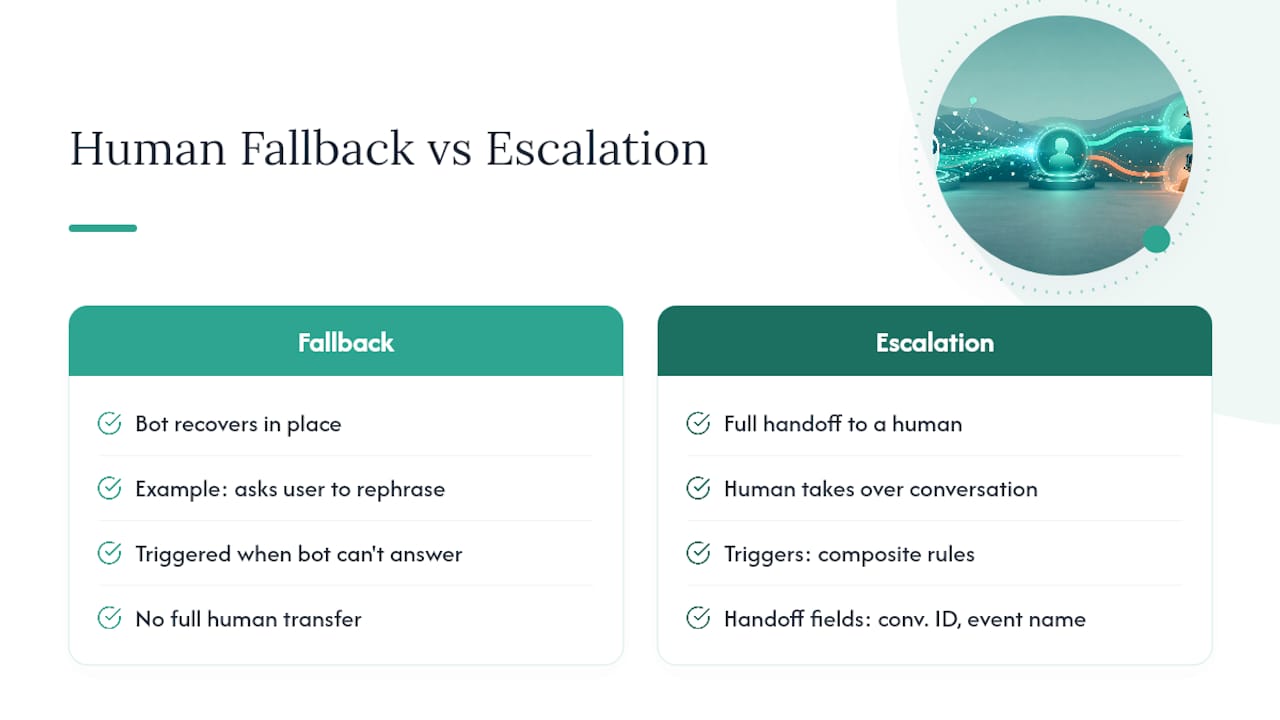
People use “fallback” loosely, and that causes bugs. A fallback message is recovery: the bot didn’t understand, so it apologizes, rephrases, or offers a menu, but stays in control. A fallback handoff is a transfer: control moves to a human agent, and the bot either steps back or becomes a relay.
Vendor implementations often separate the two by role. yellow.ai’s documentation describes an “Instruct” fallback that gives concrete next steps, like rephrase-or-escalate, only after a retry budget is exhausted, which keeps retry counts low instead of looping the user endlessly. Where this lives in your stack matters too:
- The AI layer decides whether to escalate (confidence, intent classification).
- The agent hub or helpdesk decides who picks it up (routing, skills, queue).
- Your ticketing system inherits the transcript for audit and continuity.
Mixing these responsibilities is the most common architecture mistake. The bot should never be guessing which agent group exists; that’s the hub’s job.
Choosing a Handoff Model: Bot-as-Agent vs. Bot-as-Proxy
Microsoft’s Bot Framework documentation names two integration patterns, and picking between them early saves you a rewrite later.
- Bot-as-agent. The bot registers as just another agent inside the hub. Routing, presence, and queueing all live in the hub’s logic. Setup is fast, but you inherit the hub’s constraints on transcript format and channel support.
- Bot-as-proxy. The bot sits in front of the conversation and relays messages to a human agent behind the scenes, keeping control of the transcript and channel logic itself. This gives you multi-channel flexibility (SMS, chat, Telegram) and tighter compliance control, at the cost of more integration work.
Pick bot-as-agent when your channel footprint is narrow and you already trust the hub’s routing. Pick bot-as-proxy when you need custom compliance handling, multi-channel consistency, or full control over transcript design.
Pro Tip: If your product has to produce a regulator-ready audit trail, default to bot-as-proxy. Bot-as-agent hands transcript formatting to a third-party hub, which makes consistent audit logging harder to guarantee.
The Handoff Protocol: Event Names and Payload Fields
The handoff itself runs on two events, and Microsoft’s Bot Framework spec is the closest thing to a standard here.
Initiation uses name='handoff.initiate' and must include the conversation ID so the receiving system can thread the context correctly. You can attach a transcript inline as content or reference it via a ContentUrl when the transcript is large. Optional value context, like extracted entities or a reason code, rides along in the same payload.
- Keep inline transcripts small; large histories should use
ContentUrlto avoid payload bloat. - Hubs should ignore attachments they don’t recognize rather than rejecting the whole handoff.
- Always include a conversation ID; without it, agents can’t reconnect a dropped session.
Status comes back as name='handoff.status' with a state value of accepted, failed, or completed. Microsoft’s specification is explicit that bots must not reject these events, even if they arrive out of order or reference a session the bot has already timed out. Bots that swallow or ignore failed states leave users stranded with no fallback path at all, which is worse than never escalating.
Timing Rules: When Should the Bot Actually Escalate?
Escalation isn’t one threshold. A useful decision framework splits it into three separate timing decisions, each triggered by a different situation.
Immediate escalation applies to high-risk topics: payments, account security, legal questions, anything where a wrong automated answer creates liability. After-one-clarification applies when intent is ambiguous but likely recoverable. After-failed-lookup applies when the bot understood the request but its knowledge base or API came back empty.
| Timing | Trigger example | Risk if delayed |
|---|---|---|
| Immediate | User mentions fraud, self-exclusion, or a legal dispute | Compliance exposure, user harm |
| After one clarification | Ambiguous intent (“I need help with my account”) | Wasted turns, user frustration |
| After failed lookup | Bot can’t find an order, policy, or record | Repeated failed attempts, churn |
The mistake most teams make is triggering off keywords alone. A single word match on “cancel” or “refund” fires false positives constantly. TideReply’s framework recommends combining signals, confidence score plus sentiment plus loop detection, into small composite rules instead.
Pro Tip: Build a replayable test harness that feeds real historical transcripts through your escalation rules before deployment. It’s the only reliable way to catch a rule that’s either too trigger-happy or too slow to fire.
Implementation Checklist: Routing, Context, and Offline Handling
Wiring up a handoff that doesn’t frustrate agents or users takes more than firing an event. Work through this in order:
- Require a structured summary before the handoff fires: who the user is, what they need, what’s been tried.
- Attach extracted entities (order ID, account type, product) so the agent doesn’t re-ask for them.
- Tag a reason code for the escalation (billing, compliance, technical) to support routing and later analytics.
- Route by skill and language first, then by availability, never the reverse.
- Attach the full transcript, inline or via URL depending on size.
A few extra rules save real friction:
- Only collect contact information when the channel actually needs it. If the user is already authenticated in-session, reuse that identity instead of asking again.
- For per-conversation availability, a simple toggle pattern works well: check a global “humans online” flag, then a per-conversation flag that lets a human take over and hand back to the bot later, as shown in GeneXus’s implementation walkthrough.
- When no agent is available, offer an honest wait estimate or a callback instead of a silent cold transfer. An n8n workflow example handles this by collecting an email address and routing the request into a Slack channel for asynchronous follow-up.
Testing, Metrics, and the Failure Modes That Actually Happen
Before launch, run your escalation logic against real historical transcripts, not synthetic test cases. If voice channels are in play, test SIP transfer headers against your PBX in a non-production environment; call drops during transfer are a frequent operational failure point that’s easy to miss until real traffic hits it.
Track these once live:
- Escalation rate and escalation lag (time from trigger to agent pickup).
- Post-handoff CSAT, separated from the bot’s own satisfaction score.
- Repeat question rate, which flags agents re-asking what the bot already captured.
- Agent summary usage, a direct signal of whether your structured context is actually useful.
The most common failure isn’t a broken trigger, it’s a cold transfer with no summary attached. Operational reviews of live handoffs found that agents skip long transcripts entirely unless given a short structured brief covering who the user is, what they tried, and why the bot escalated. Wrong-queue routing and over-eager escalation on low-risk phrasing round out the usual suspects.
How Agentria Handles Escalation for Regulated iGaming Support
Player support in online casinos carries a compliance weight most chatbot use cases don’t. A misrouted escalation on a self-exclusion request or a slow handoff during a dispute isn’t just a bad experience, it’s a regulatory exposure.
Agentria builds its escalation model around human oversight rather than pure automation. Staff review can gate every AI-generated reply before it reaches a player, and that same review layer captures the audit trail regulators expect. The platform’s multi-channel context carries across email, live chat, SMS, and Telegram, so an agent picking up a VIP escalation sees the same history regardless of where the conversation started.
- Sentiment detection and responsible gambling signals escalate sensitive conversations automatically.
- VIP tier, wagering history and bonus status are surfaced on every escalation, so agents can see at a glance which players are high-value.
- AI-generated responses can be held for review before delivery, producing a compliance-ready record of every decision made.
That combination, warm context plus human review plus a documented trail, is what regulated operators actually need from a fallback system.
An Engineer’s Take: Containment Isn’t the Whole Game
Teams optimize escalation rules to minimize handoffs, and in most SaaS contexts that’s the right instinct. In compliance-heavy support, it’s backward. A warm transfer that surfaces context and reaches a trained human quickly builds trust faster than a bot that resolves 90% of chats but mishandles the other 10%.

Tune thresholds gradually, and watch escalation lag as closely as escalation rate.
See How Agentria Handles Compliant Human Fallback
Agentria gives casino operators an escalation layer built for regulated support: human-reviewed replies, automatic responsible-gambling and regulator escalation, and an immutable audit trail you can configure to your licence conditions. Instead of assembling review queues and audit logging from scratch, you get human-reviewed AI replies, multi-channel context, and every conversation surfaced with the player’s VIP tier, wagering history and bonus status, all from one dashboard.
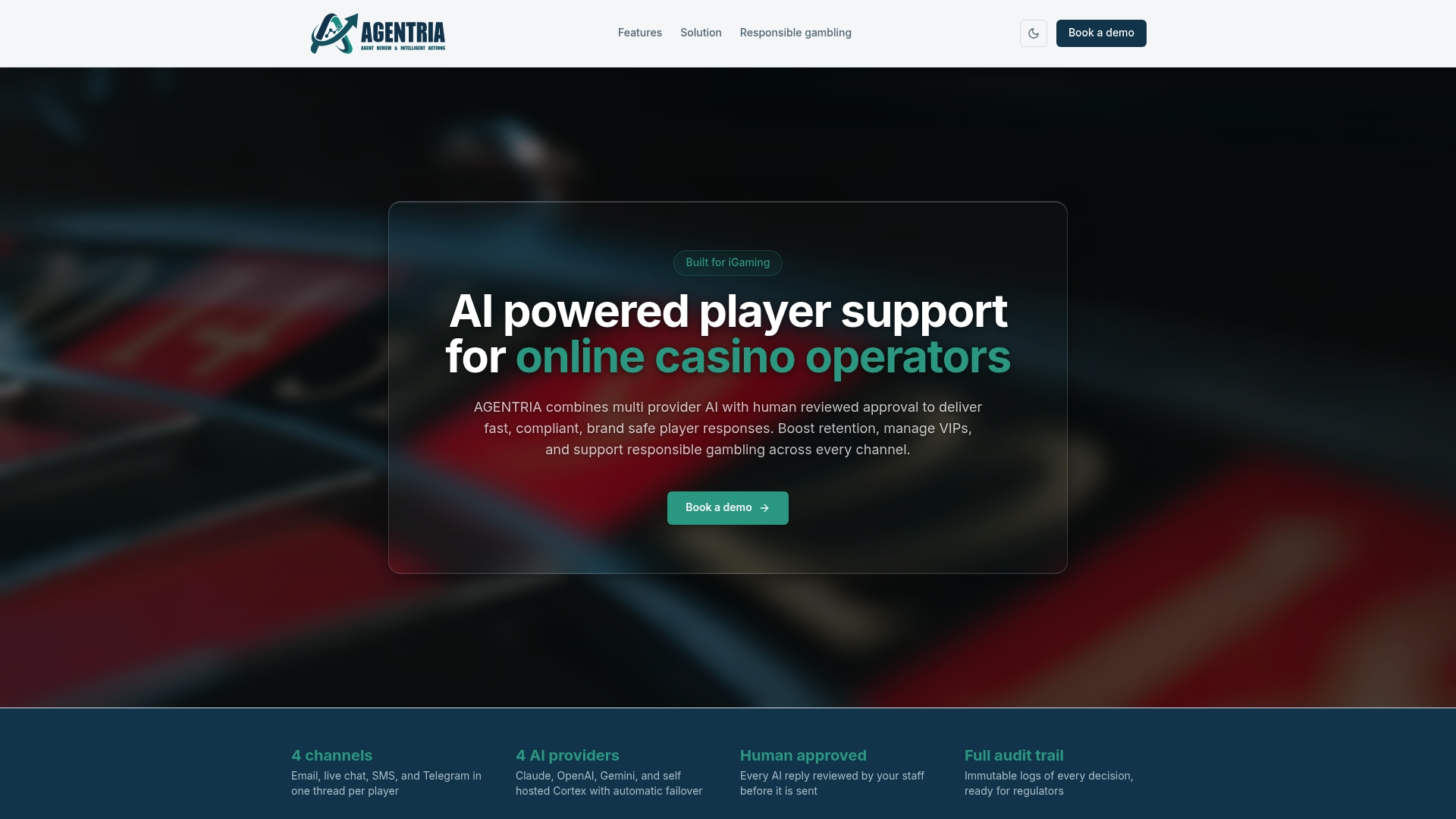
How much review an operator’s team applies is theirs to set, from sign off on every reply down to spot-checking what the AI sends automatically, which means the audit trail requirement most fallback architectures bolt on later comes standard here. Sensitive topics like responsible gambling escalate automatically with a priority alert to your review team, and every escalation arrives with the player’s VIP tier and history already attached. If you’re evaluating fallback infrastructure for a regulated support desk, book a demo and see the routing and review workflow on your own player data.
Frequently Asked Questions About Human Fallback Chatbots
What is a human fallback chatbot? It’s a bot that can transfer a conversation to a live agent when it hits a limit, either its confidence, its policy scope, or the user’s explicit request, carrying context so the agent doesn’t start cold.
What’s the difference between a fallback response and an escalation? A fallback response is the bot recovering in place, like asking the user to rephrase. An escalation is a full handoff where a human takes over the conversation.
Should escalation triggers rely on keywords? No. Keyword-only triggers produce false positives constantly. Composite rules combining confidence score, sentiment, and loop detection perform far better in practice.
What fields does a handoff event need?
At minimum, a conversation ID and the event name handoff.initiate. Most implementations also attach a transcript and optional context like extracted entities or a reason code.
How do you measure whether a fallback system is working? Track escalation rate, escalation lag, post-handoff CSAT, and how often agents actually use the structured summary you provide them.
Sources
- Design patterns for handoff to a human agent - Microsoft Learn
- Set a human fallback for AI workflows - n8n docs
- When Should a Chatbot Escalate to a Human? A Decision Framework - TideReply
- Fallback | yellow.ai
Recommended
See AGENTRIA on your support workflow
Book a walkthrough tailored to your brands, channels, and compliance requirements.